Open Source & Offline-First

Track classes.
Plan bunks.
Attend smartly.

The ultimate college attendance management, timetable builder, and safe bunk calculator for Android.

📦
... Total Downloads
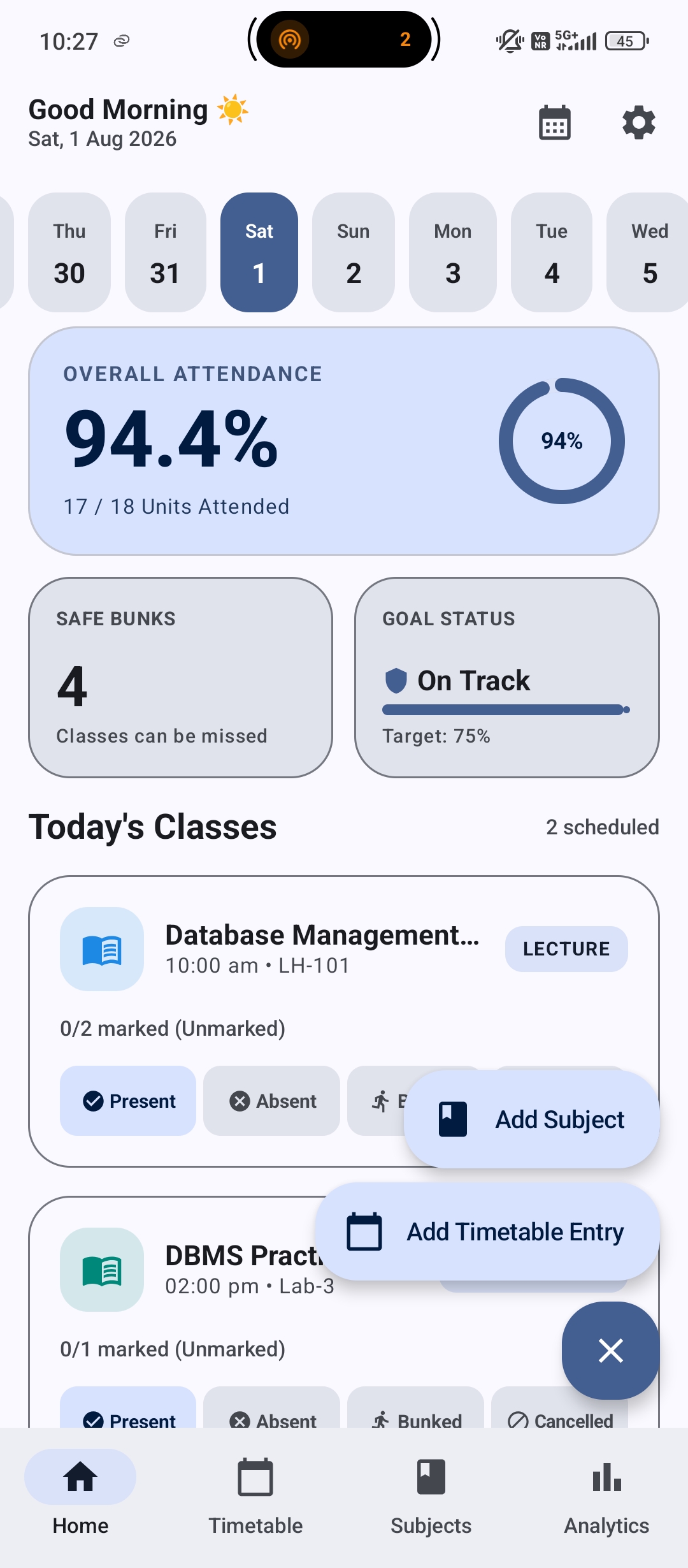
AttendSmartly Home Screen

Everything a student needs

Designed beautifully using Jetpack Compose and Material Design 3.

📅

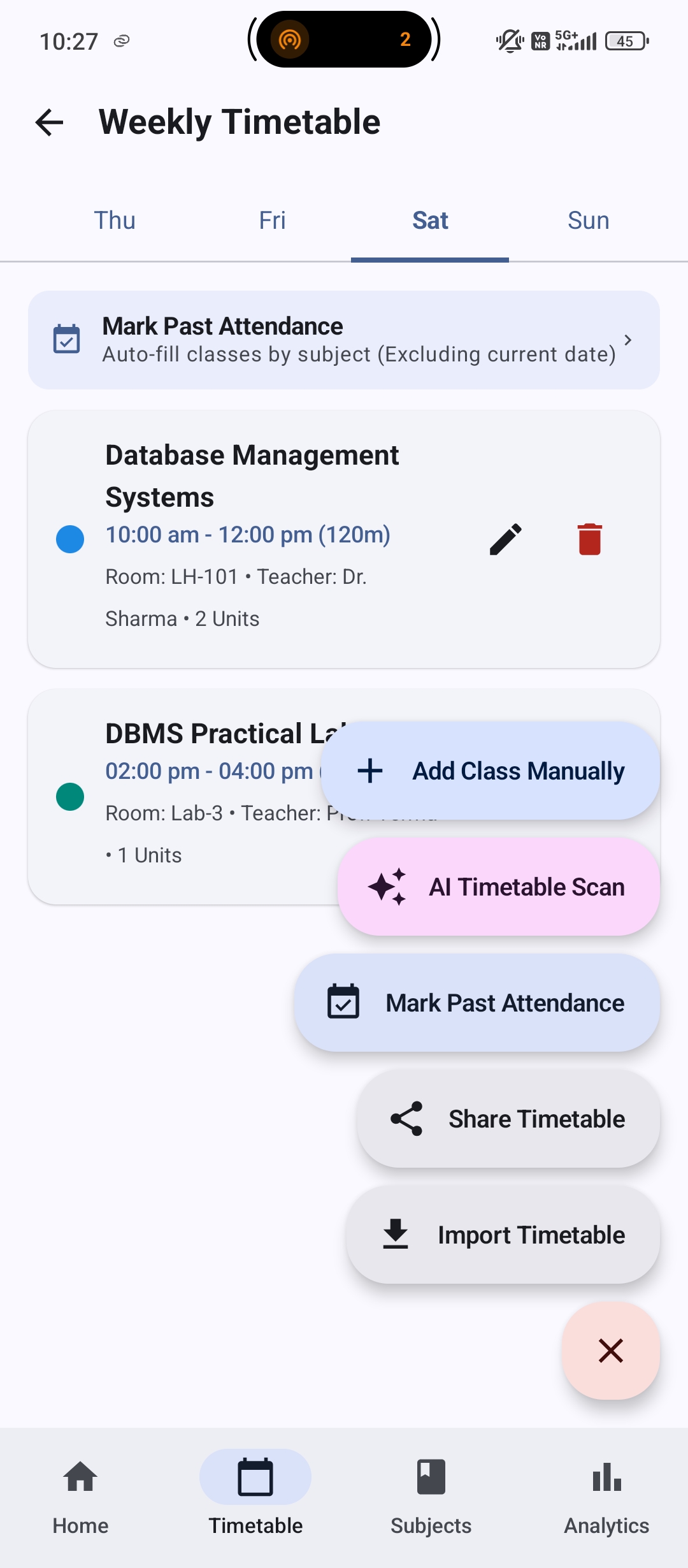
Smart Timetable

Configure recurring daily classes with custom unit values. Real-world college classes aren't always 1 hour long.

🎯

Safe Bunk Calculator

Calculates the exact number of upcoming classes you can safely skip while staying above your target percentage.

📷

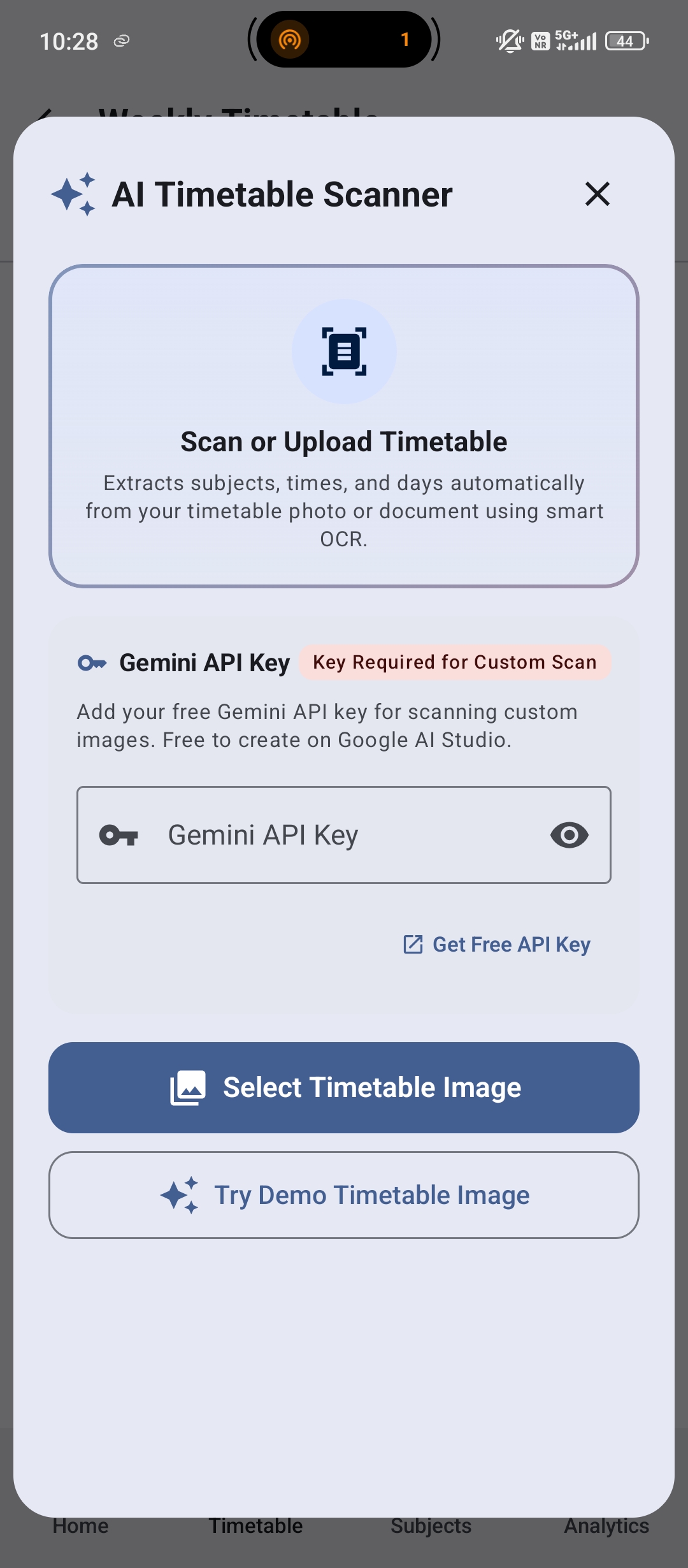
AI OCR Scanner

Powered by Google Gemini Vision. Simply snap a photo of your college timetable to automatically parse and import your schedule.

📊

Deep Analytics

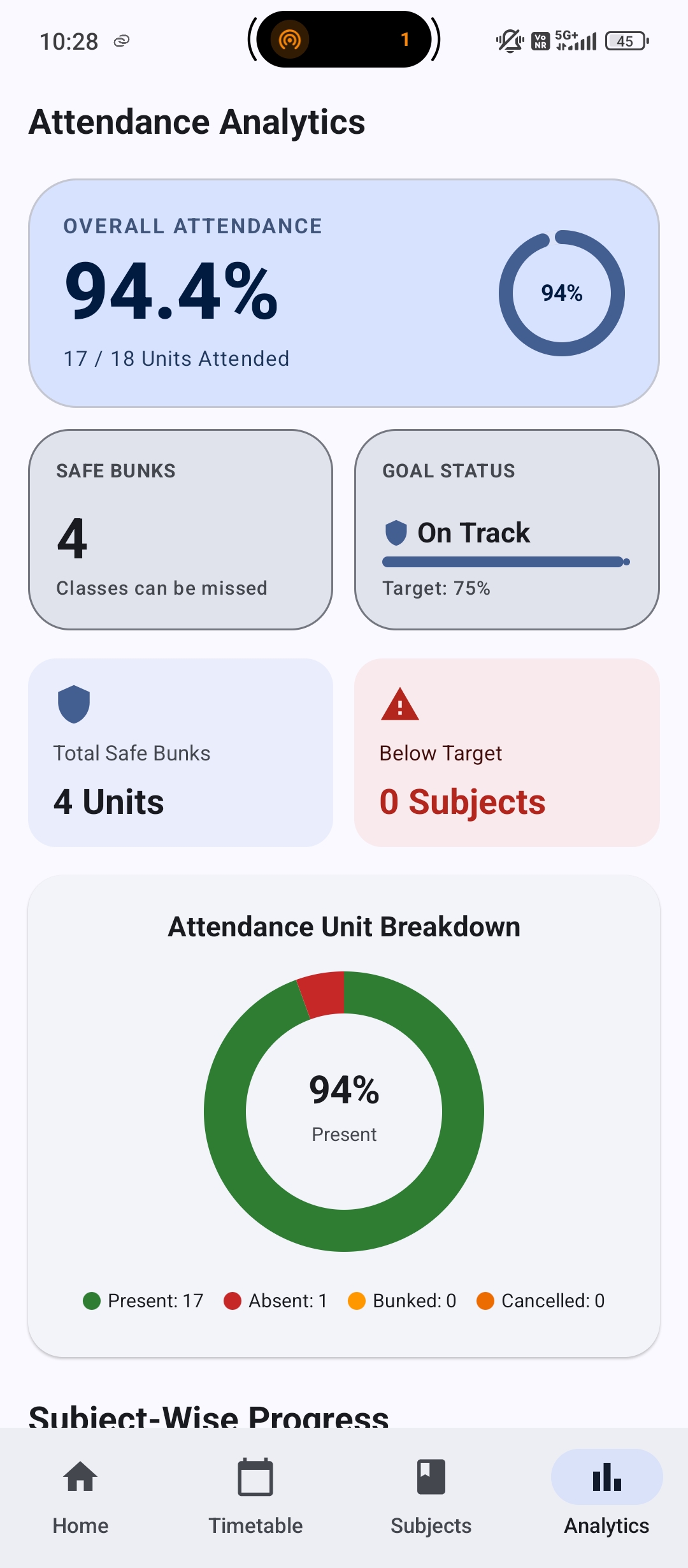
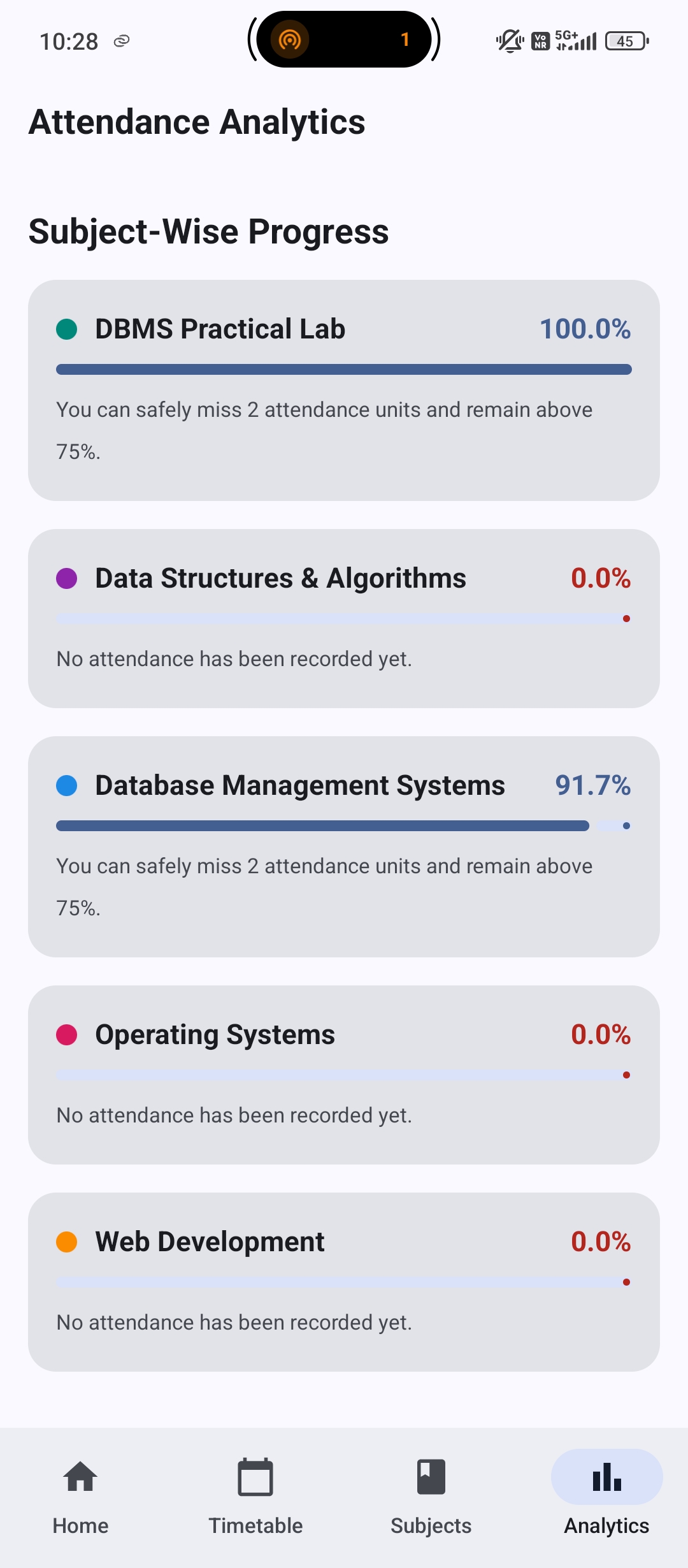
Interactive progress cards, subject-wise breakdown chips, and beautiful donut charts to visualize your attendance history.

Beautifully Crafted

A sleek interface that respects your system's dark and light modes.

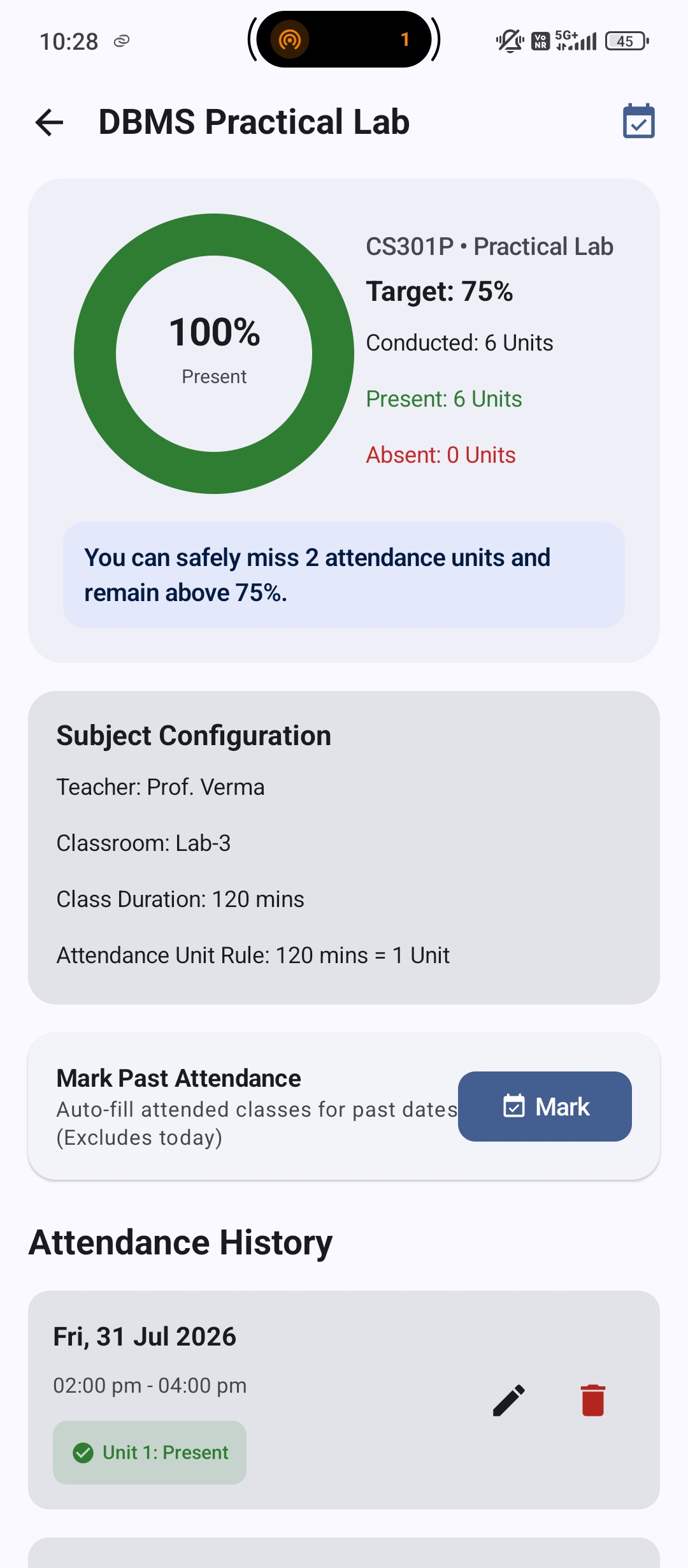
Timetable Analytics Subject Details OCR Scanner

The Math Behind the Magic

AttendSmartly uses precise mathematical formulas to compute your Safe Bunks and Recovery Classes. Cancelled classes are automatically excluded from conducted totals so your percentage remains perfectly accurate.

🟢 Safe Bunks Formula

Skip classes without dropping below target threshold (T)

Floor( (Present - (Target * Total)) / Target )
🔴 Recovery Classes Formula

Consecutive classes needed to restore low attendance

Ceil( ((Target * Total) - Present) / (1 - Target) )
Subject Progress

Frequently Asked Questions

Everything you need to know about AttendSmartly

Is AttendSmartly completely free and offline?

Yes! AttendSmartly is 100% free, open-source software licensed under GNU GPL v3. All attendance logs, timetables, and settings are stored locally on your device in an encrypted Room Database with zero telemetry or hidden tracking.

How does the Safe Bunk & Recovery Calculator work?

The safe bunk calculator evaluates your target percentage (e.g. 75%), your total present units, and total conducted units to compute exactly how many future classes you can safely skip or must attend consecutively to reach your goal.

What happens if a teacher cancels a lecture?

You can mark the session as Cancelled. Cancelled units are excluded from total conducted classes, ensuring your attendance percentage remains completely untouched.

How do I use the Smart Timetable OCR Scanner?

In the Timetable screen, select the OCR Scanner option and upload an image of your college timetable photo or PDF. You can optionally enter your personal free Google Gemini API key to automatically parse your schedule.

Can I backup and export my attendance data?

Yes! AttendSmartly allows you to export/import full offline JSON backups via Android Storage Access Framework (SAF), as well as generate detailed CSV reports for spreadsheet analysis or academic record-keeping.

Getting Started & Installation

Download the ready-to-run APK or build directly from source code

Option 1: Direct APK Download

  1. Go to the GitHub Releases page.
  2. Download the latest AttendSmartly-Release.apk.
  3. Install on any Android device running Android 7.0 (API 24) or higher.
Download Latest APK

Option 2: Build from Source

Requires Android Studio Ladybug (2024.2.1+), JDK 17, SDK 34+

git clone https://github.com/agupta07505/AttendSmartly.git
cd AttendSmartly
./gradlew assembleDebug
View GitHub Repository